


Baby Panda's School Bus
4.51.48K Reviews
App Specs
- Version
- 8.75.16.56
- Updated On
- License
- Free
- Downloads
- 100,000,000+
- Developer
- BabyBus
- Categories
- Educational
- Platform
- Android, iOS
Screenshots
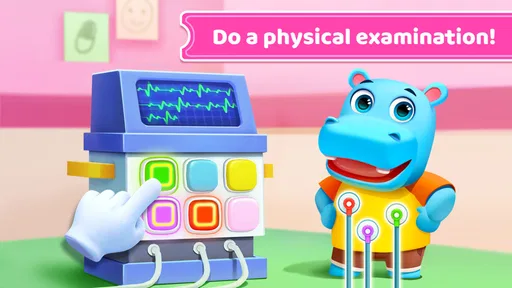

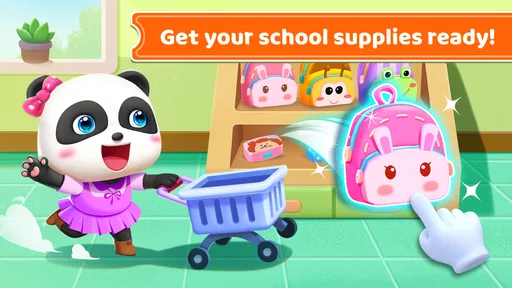
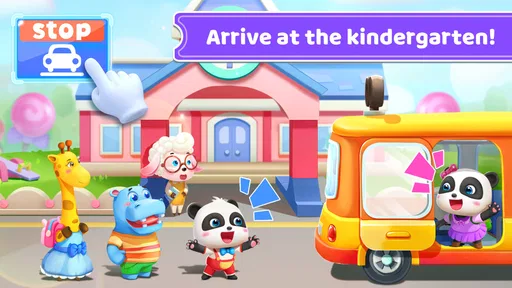
 Analysis by AppCompare
When a young child gets stuck in a game, it can be hard to tell whether the controls are confusing, the device needs attention, or the activity simply isn’t a good fit for that moment. I’d approach Baby Panda's School Bus as a short, supervised play option rather than something to hand over and expect to hold a child’s attention indefinitely. That framing makes its school-bus theme useful: it gives a child a familiar setting for exploring playful learning, while an adult can stay nearby to help when a screen or activity causes frustration.
Start with the kind of play your child wants
This is an educational game from BabyBus, and its appeal is aimed at children who enjoy colorful, character-led activities. If your child is drawn to pretend journeys and playful tasks, the bus framing may be more inviting than a plain learning exercise. If they are looking for a highly structured lesson, a focused letter-practice app or an activity with a clear curriculum may suit them better. I’d choose based on the child’s mood and goal, not on the assumption that every game with learning content works equally well for every learner.
A realistic use is a brief stretch of downtime while a parent prepares a meal or waits for an appointment. I’d open the game together first, let the child explore, and then check whether they can continue comfortably without help. That first shared session is useful for spotting whether the child understands the on-screen prompts and enjoys the pace. If they keep tapping without following what is happening, I’d pause and guide them rather than treating more screen time as more learning.
Guides and Analysis on Baby Panda's School Bus
Small setup checks can prevent avoidable frustration
Before handing over a device, I’d make sure the game has finished loading and that the device has enough battery for the planned play session. A slow or interrupted start can look like a problem with the game to a child, even when the issue is simply the device or its connection. If something appears unresponsive, I’d wait briefly, avoid repeated rapid tapping, and try reopening the game after closing it normally. These are simple checks, but they can keep a minor hiccup from turning into a stressful moment.
It is also worth checking the store page on the device you intend to use. The game requires Android 6.0 or later, and the current version is 8.73.16.11. It is free to download, though optional in-app purchases are listed at $1.49 to $29.99 per item. I would review purchase settings with the child’s device in mind rather than assuming that a free download means every part of the experience has no cost. The age rating is Everyone, but an adult still knows best whether a particular activity suits their own child.
Recover calmly if play gets interrupted
If the game freezes or a child exits by mistake, I’d first reopen it and see whether the normal start screen returns. If the problem persists, restarting the device is a reasonable general troubleshooting step before considering anything more involved. I would avoid deleting the app as a first reaction, especially if a child has been enjoying it; removing an app can affect locally stored progress in some games, and it is better to understand the issue before taking that step.
For a smoother handoff, I’d show the child how to return to the game and explain that a grown-up can help if it stops responding. That small routine is more useful than promising that the game will always work perfectly. It also gives an adult a chance to notice whether the child is struggling with navigation, losing interest, or simply ready to do something else. A game can be technically fine and still not be the right activity at that moment.
Worth Reading Before You Choose

Google Calendar Makes a Crowded Week Easier to Manage

Ludo King Makes the Most of the Minutes Between Plans

Baby Panda World Brings Quick Play to Modern Phones, but Its Game Library Feels Busy

ESPN’s Live Game View Makes Following Close Games Easier

QuizzLand Review: A Good Fit for Short Trivia Breaks, Not Every Player

Basketball Stars: Multiplayer Is Fast, but Can It Recover When Matches Go Wrong?
When another option is the better fit
Compared with flash-card apps, alphabet drills, or quiet story activities, the bus game is the more playful choice; those alternatives may be better when a child needs deliberate practice or a calmer screen experience. I would also skip it for a child who becomes overstimulated by bright visuals or music, or for a family looking for a tightly sequenced teaching program. The useful trade-off is that a themed game can make it easier to invite a reluctant child into a learning activity, but it may offer less focused practice than a tool built around one skill.
Parents may also want to know whether a child can use it independently. I’d test that rather than assume it: sit alongside the child at first, see how they respond to the controls, and decide whether they need continued help. For shared play, asking the child to describe what they notice can turn tapping into conversation. For solo use, keep the session short enough that you can check in, particularly if the child is very young or unfamiliar with touch-screen games.
The game has an average rating of 4.5 from around 303,000 ratings, with about 1,400 written reviews and over 100 million installs. Those figures show that it has reached a large audience, but they cannot tell me whether it will suit a particular child’s attention span, device, or learning needs. I’d treat them as useful context, not as a substitute for trying a short session together.
All Aboard the Fun Express
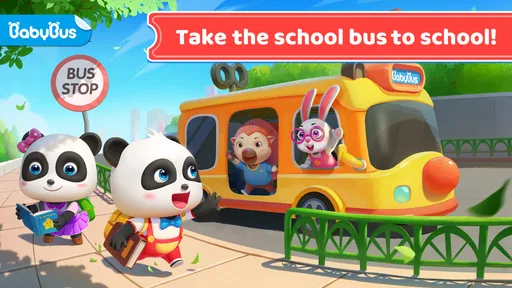
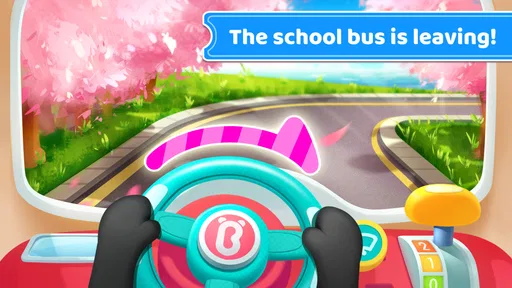
From the moment you fire up Baby Panda's School Bus, you’re greeted with vibrant colors and cheerful music that’ll have kids hooked instantly. The premise is simple: kids hop on the school bus with Baby Panda and embark on an educational journey filled with mini-games and interactive activities. It’s not just a game; it's a whole experience designed to keep kids engaged and learning.
Interactive Learning
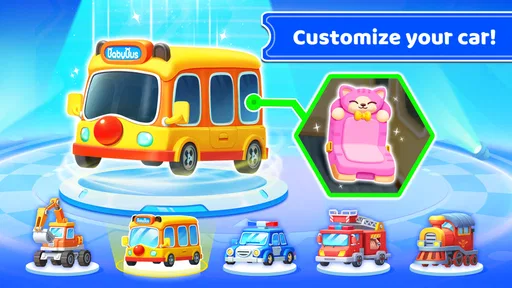
The app is packed with various mini-games that teach kids numbers, letters, shapes, and colors. What’s really cool is how these elements are seamlessly integrated into the gameplay. For example, kids might find themselves helping Baby Panda fix the bus, and in doing so, they’ll be learning about shapes and colors. It’s learning without the boring bits!
Kid-Friendly Design
One of the things that stood out to me is the app's intuitive interface. It's designed with little fingers in mind, so navigation is a breeze. The buttons are large and clearly labeled, making it easy for even the youngest users to dive right in. Plus, the app is completely ad-free, which means parents can relax knowing their kids can play uninterrupted.
Parental Peace of Mind
As a parent, I appreciate that the app doesn’t just focus on entertainment. There’s a strong emphasis on safety, with no in-app purchases or ads that could lead kids astray. The content is age-appropriate, ensuring that kids are playing in a secure digital space.
Endless Entertainment
With so many activities, Baby Panda's School Bus offers endless hours of entertainment. The variety ensures that kids won’t get bored easily. Whether they’re counting apples or identifying shapes, each activity is a new adventure. And let’s face it, who wouldn’t want to take a ride on a school bus with a panda?
In conclusion, if you’re on the lookout for an app that combines fun with learning for your young ones, Baby Panda's School Bus is a fantastic choice. It’s engaging, educational, and provides a safe environment for kids to explore. So, what are you waiting for? Hop on the school bus and let the learning journey begin!
Pros
- Colorful and engaging graphics for kids.
- Simple controls easy for toddlers.
- Educational value with fun elements.
- Encourages problem-solving skills.
- Free to play with optional purchases.
Cons
- Limited content for older children.
- Requires internet for updates.
- Ads can interrupt gameplay.
- Some features need in-app purchases.
- Occasional minor bugs reported.
FAQs for Baby Panda's School Bus
What age group is Baby Panda's School Bus suitable for?
Baby Panda's School Bus is designed for children aged 3 to 6 years. The game offers an engaging environment that helps young kids learn about various concepts such as colors, shapes, and basic problem-solving skills through interactive gameplay, making it ideal for preschoolers and kindergartners.
Is Baby Panda's School Bus safe for my child to play?
Yes, Baby Panda's School Bus is a child-friendly app that prioritizes safety. It features a secure environment with no inappropriate content, ensuring that children can explore and learn without exposure to harmful material. Parental controls may also be available to manage screen time and in-app purchases.
Does Baby Panda's School Bus require an internet connection?
No, Baby Panda's School Bus can be played offline, which makes it convenient for on-the-go entertainment. However, an internet connection may be needed for initial downloads, updates, or accessing additional content and features within the app.
Are there in-app purchases in Baby Panda's School Bus?
Yes, Baby Panda's School Bus includes optional in-app purchases. These can enhance the experience by unlocking additional content or features. Parents should be aware and may want to set up parental controls to prevent unauthorized purchases by their children.
What educational benefits does Baby Panda's School Bus offer?
Baby Panda's School Bus provides numerous educational benefits, such as developing cognitive skills, enhancing problem-solving abilities, and teaching basic concepts like numbers and colors. The app uses fun and interactive gameplay to engage children, making learning enjoyable and effective through practical experiences.


